


ALL OF YOUR Y, ALL IN ONE PLACE.
UPCOMING WWFY MOBILE APP UPDATE
To improve your experience, we’ll be performing a major update to the YMCA app coming soon.
As part of this update, all users will need to sign back into their account once the update is complete.
Before the update, please take a moment to make sure you know your password. Having your login credentials ready will make it quick and easy to access your account after the update. If you’ve forgotten your password, we recommend resetting it before the update takes place.
Thank you for your patience as we make these improvements. We’re excited to bring you an even better app experience!
Android App Login Update
During this update period, some Android users may experience issues logging into the YMCA mobile app.
If you are having trouble accessing your account, you can still log in using the web version through the Chrome browser on your phone or from a desktop computer using the link below:
https://my.familyworks.app/m/westporty
We apologize for any inconvenience and appreciate your patience as we work to resolve the issue.
ABOUT OUR WWFY MOBILE APP
Designed to make your Y experience more convenient than ever–all in one easy-to-use application!
Scan into the Y from your phone and gain access to everything the WWFY has to offer. View Group Exercise, Gym and Pool schedules, reserve and manage your group exercise class reservations, engage in awesome Y fitness challenges for prizes, easily search and register for programs, find fun Y events, see our latest announcements, receive important facility notifications in real-time and more—all within the click of a button on your mobile device.
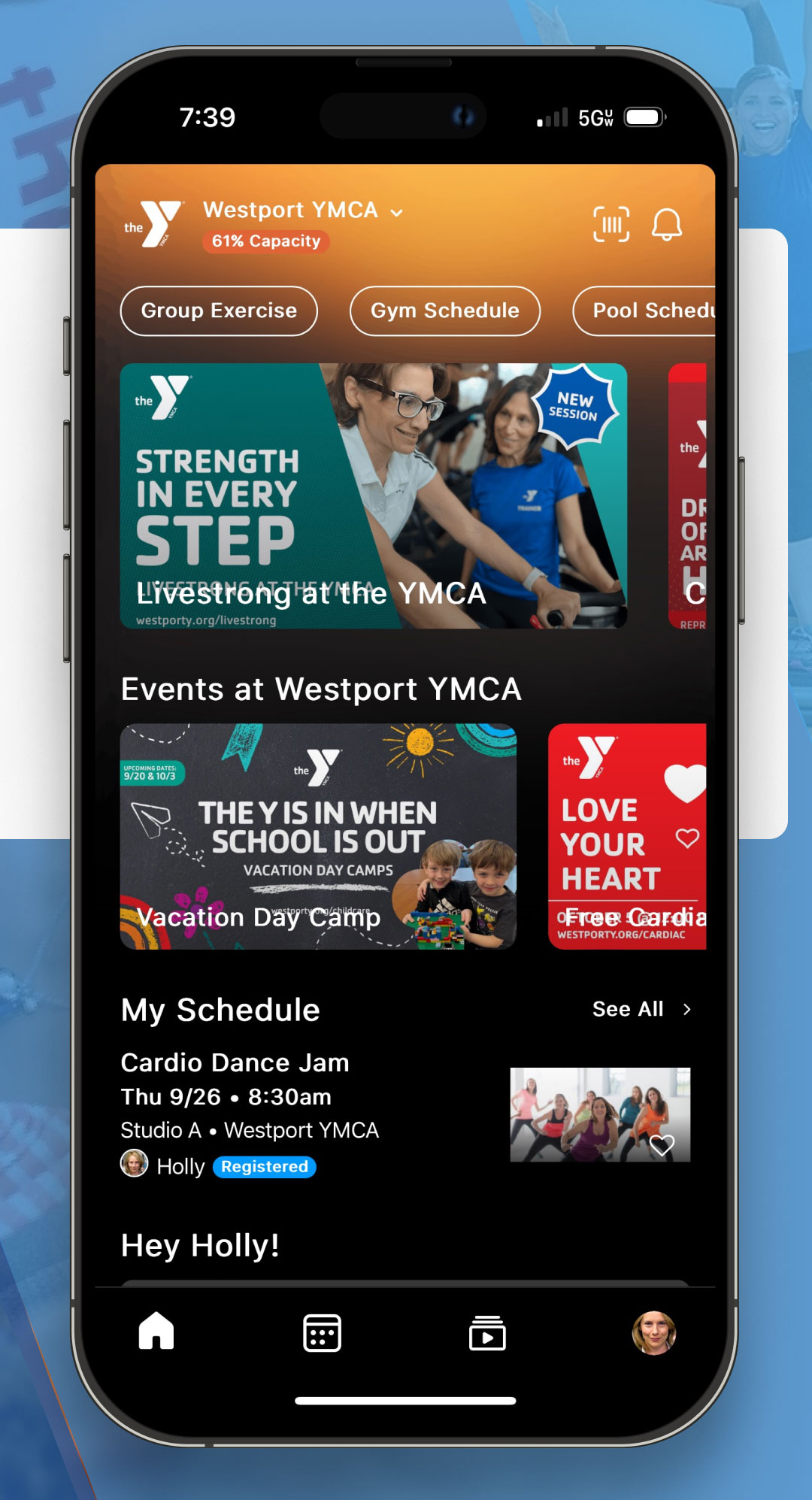
APP FEATURES


Whether you’re a member, guest, staff, or volunteer, the new WWFY app is here to elevate your Y experience!
DOWNLOAD & LOGIN
- DOWNLOAD: Click below to download the app or navigate to your app store to search for the ‘Westport Weston Family YMCA’.
- IMPORTANT: If you have never set up your online member account, or it is not connected to a valid email address, you will need to do so before logging into the app or trying to reset a password. Click below to access the online member portal and/or search for your account.
- LOGIN: Enter the email and password associated with your WWFY member account. Your email must match what’s on your WWFY membership account to access the app.
- PASSWORD: Your password is 10 characters or more, and includes at least one upper case letter, one lower case, and one special character. Please note, if you reset the password on the app, you are also resetting your online member account password.
NEED ASSISTANCE?
If you need any assistance logging in or navigating the WWFY Mobile App, we encourage you to view our FAQ! If you have specific questions that are not addressed in the FAQ, please feel free to contact Member Services, visit the Welcome Center, or send a message to our mobile app support team. We continue to make improvements to better serve our members and your feedback is important.
DON’T HAVE A SMARTPHONE?
No problem! You can still use the app via the web to sign up for classes:
https://my.familyworks.app/m/westporty
The same login and class registration instructions apply. View login instructions and Mobile App FAQ here.
GROUP EXERCISE & AQUA FITNESS PARTICIPANTS
For group fitness class reservations, here are some important details:
- Class reservations open one [1] week in advance. For example, you can register for our 9:15 AM Yoga class on Monday, December 2, starting on Monday, November 25, at 9:15 AM.
- If you can’t attend a reserved class, please cancel as soon as possible to free up the spot for another member. Waitlist and walk-in spots, when available, remain on a first-come, first-served basis.
- As of December 1, MotionVibe schedules will no longer be updated, and you’ll need the new app to register for all future classes.
- We encourage all members to review our updated Group Exercise Guidelines and Policies.